I believe in Hyper-V!

March 2013Monthly Archives

Issue with Migration of Virtual Machines |System Center 2012 SP1 Virtual Machine Manager|

Today I tried migrate virtual machine from one stand alone Hyper-V host to another through System Center 2012 SP1 Virtual Machine Manager and got errors like in the picture below.
The first error was: The credentials supplied to the package were not recognized…
and the second was: Live Migrating Hyper-V virtual machines may fail with error 0x80070569

1

After a little of investigation I found resolution on Ben Armstrong blog and on Microsoft support site. So, what we have to do?

1. Step
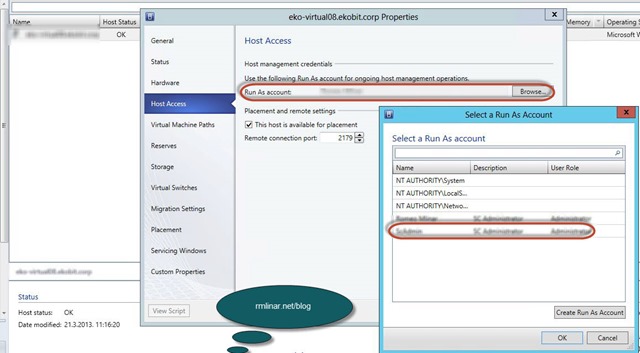
– Open Properties on the Hyper-V host
– Go to the Host Access
– Add Run As account created earlier
6

2. Step
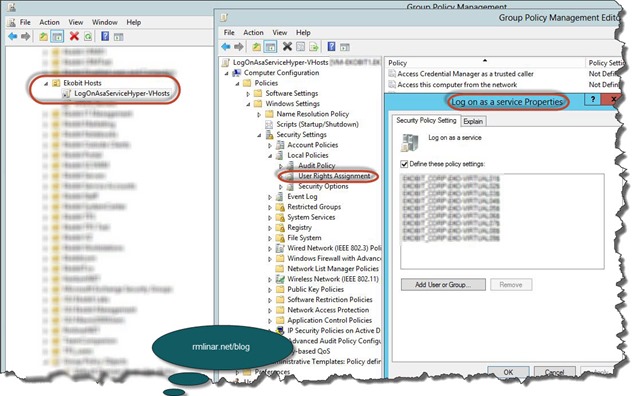
– On the Domain Controller create new GPO with the parameters like in the picture below and Link in OU where your Hyper-V hosts are.
7

– Update group policy on every Hyper-V host | gpupdate /force |. (You may need to wait several minutes for Active Directory replication to occur).

8

We are done! Open VMM Console and migrate VMs as you wish.

9

2 
3

Voila, VM is migrated. Of course, migration time depends on the virtual machine size.

Enjoy in day!

Romeo
Unable to Add…/Edit…/Delete Domain Controllers computer set on TMG/ISA

This blog post isn’t related to my expertise (Virtualization), but I had this problem and want share with you!

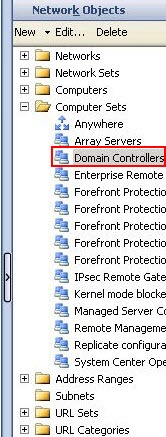
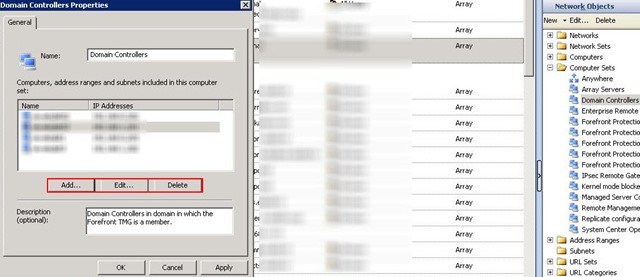
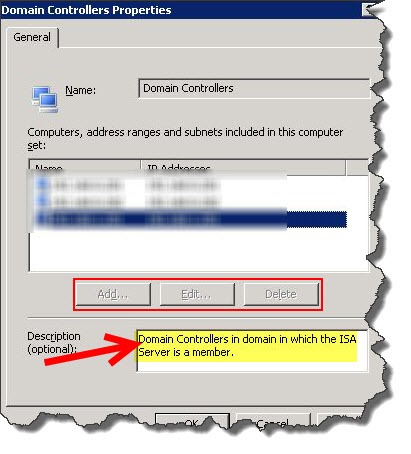
In my domain I installed two new WS2012 domain controllers and wanted to add to the Domain Controllers under Computer Sets folder on TMG in my primary site and on ISA 2006 in my branch office. When I opened Domain Controller properties buttons Add… Edit… and Delete were dimmed.

16a

So, what to do? Follow the pictures below and you will see how to resolve that issue…

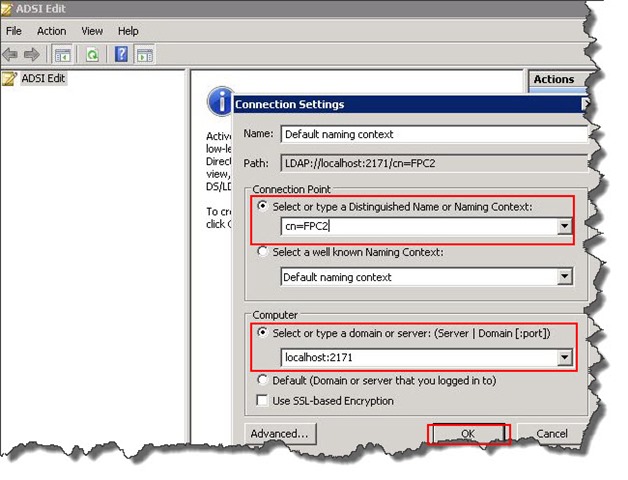
– Launch ADSI Edit from TMG Server

– Connect to localhost on port 2171 [localhost:2171] and Naming context CN=FPC2

2

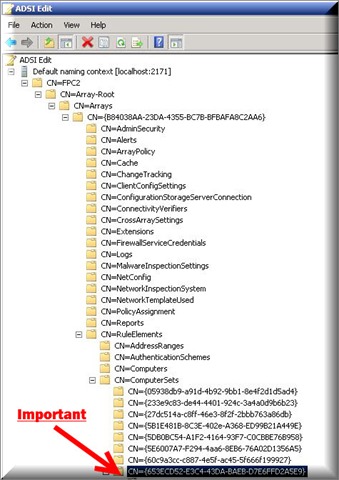
– Expand CN=FPC2—>CN=Array-Root—>CN=Arrays—>CN={xxxxxxx-xxxxx-xxxx}*—>CN=RuleElements —>CN=ComputerSets

4

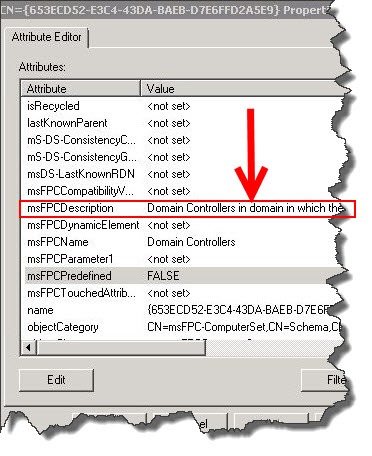
How to find right entry? Expand CN=ComputerSets, on the each entry open Properties until you find the right: Domain Controllers in domain in which the TMG/ISA Server is a member.

Like in the picture below.

 5a

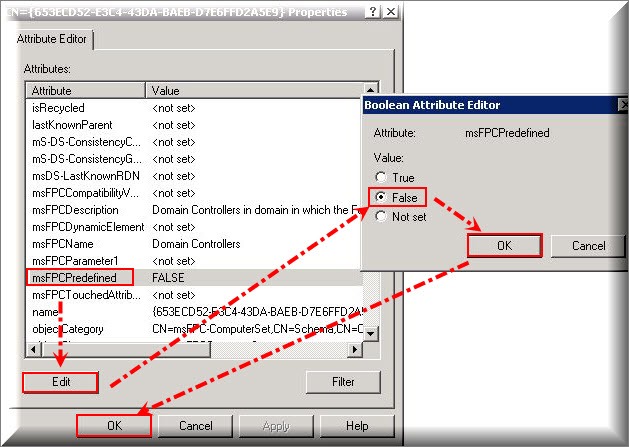
At the same Attribute Editor mark msFPCPredefined, click on Edit and from TRUE change to FALSE.

5

Now you can Add… Edit… or Delete domain controllers as you wish.

6

Enjoy in day!

Romeo